MeasureWalk the foot of the pile and across it with your Haglöf Geo.
OpenDrop the CSV file into Stockpile360. Nothing to install.
CheckBase, heights and volume appear at once. Correct mistakes on screen.
ReportSave a PDF report, export GeoJSON for your GIS or an adjusted survey file.
Measure once
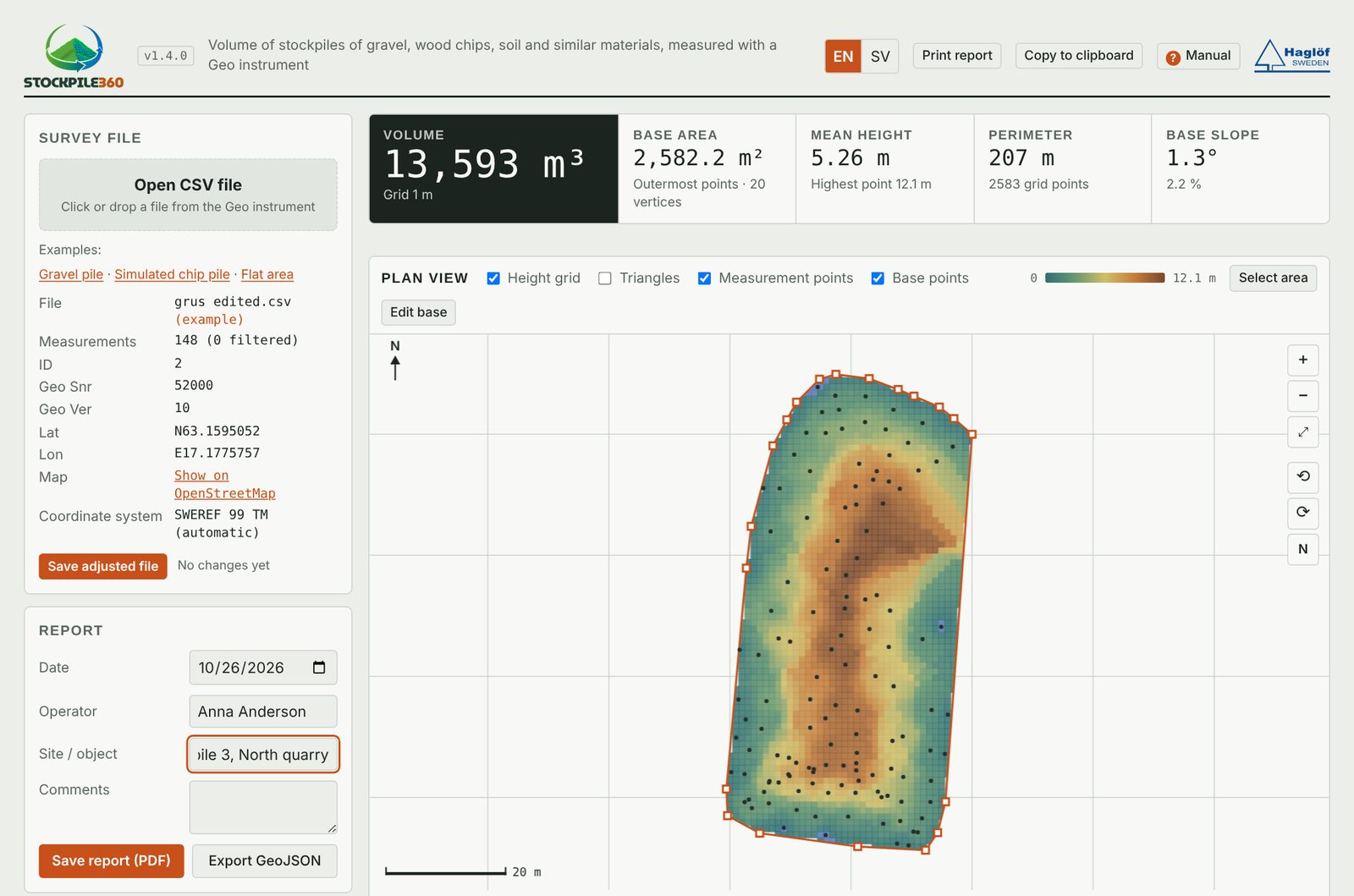
See the whole pile on one screen
Stockpile360 fits a base plane through the base points and calculates the volume above it, even when the pile sits on a slope. Choose the grid method or triangles and compare them side by side.
Volume13,593 m³
Base area2,582 m²
Mean height5.26 m
Example: gravel pile, 148 measured points.
Correct on screen
Fix mistakes without going back out
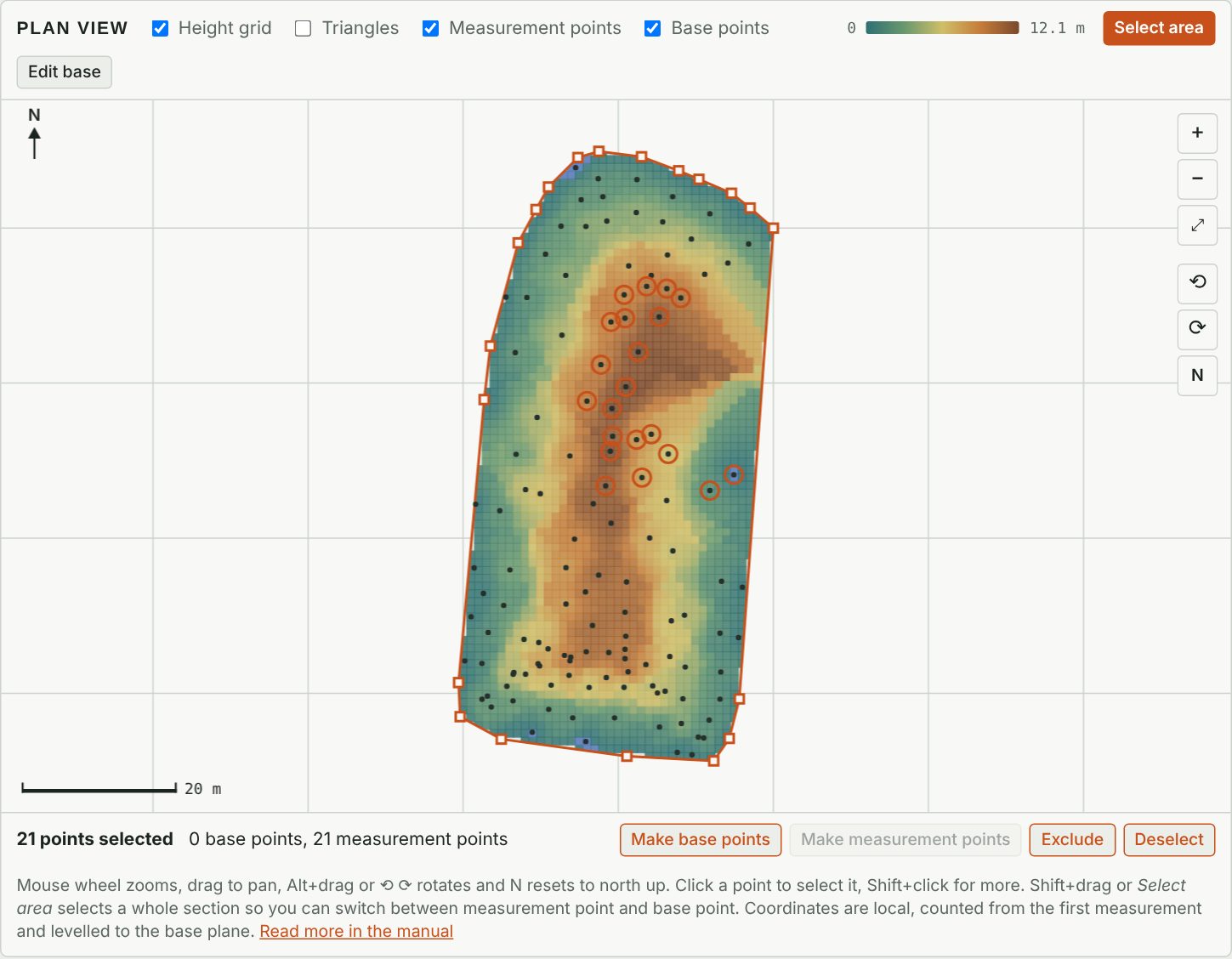
Measured a whole section as base points by mistake? Select the area and switch the point type. The volume updates immediately.
Switch between base point and measurement point
Exclude stray shots from the calculation
Drag, add or remove base vertices
Rotate the plan view and reset to north
Share the result
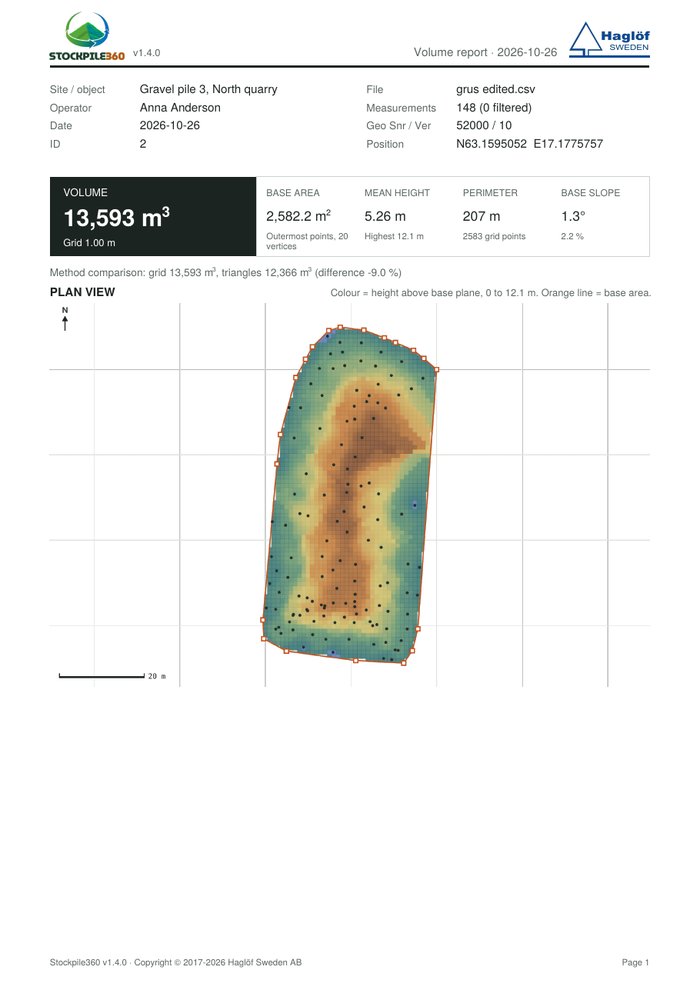
A report your customer can read
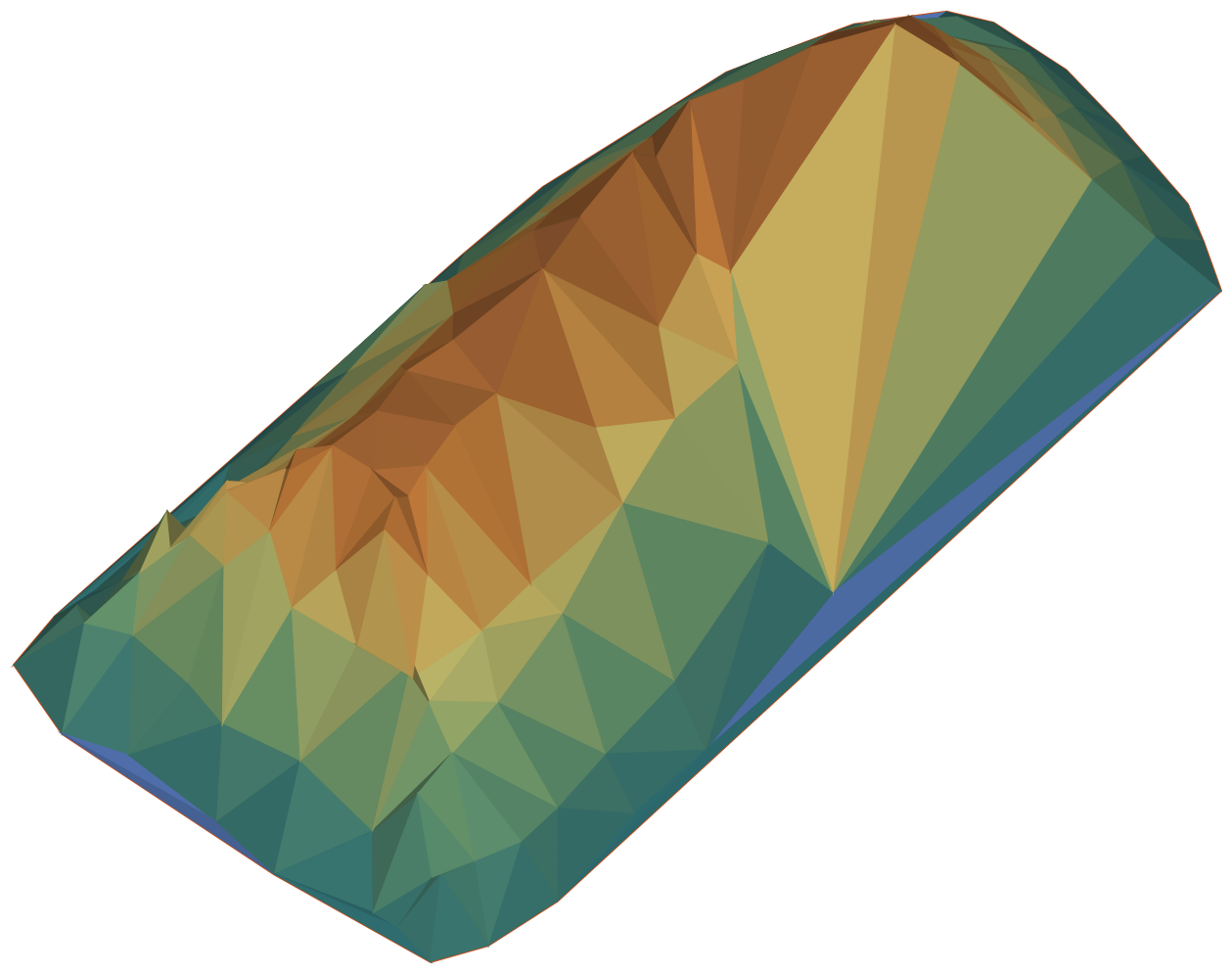
Two A4 pages with volume, base area, plan view, profiles and the 3D view at the angle you choose.
GeoJSON for QGIS, with SWEREF 99 and UTM detected automatically
Corrections saved back to the instrument’s CSV format
Copy the report text to the clipboard
Good to know
Input
CSV survey files from Haglöf Geo instruments
Methods
Grid (1 m by default) and Delaunay triangles
Results
Volume, base area, perimeter, mean height, base slope
Export
PDF report, GeoJSON, adjusted CSV
Units
Metric and imperial
Languages
English and Swedish
Privacy
The survey file is read in your browser and is not uploaded
Try it with an example
Stockpile360 opens with an example gravel pile, so you can explore every feature before you load your own survey.